How To Build a Live Streaming App: Features, Monetization Options, and More
Updated 16 Jan 2026
19 Min
59532 Views
Live streaming app development requires clear product decisions supported by a solid technical foundation and a development process designed for real-time delivery. A live streaming product must handle continuous video flow, user interaction, and unpredictable load while remaining stable and scalable from day one.
At Cleveroad, we have over 15 years of experience in media software development and have delivered live streaming and media-rich applications for education, fitness, and digital platforms. Based on our hands-on delivery experience we’ve defined a practical step-by-step pipeline reflecting how production-ready live streaming products are built in real-world projects:
- Gather business requirements
- Ask a live streaming app development vendor for help
- Pass the Solution Workshop and Discovery Stage
- Start the UI/UX design stage
- Develop and test the live streaming app
- Launch the live streaming app
- Head to maintenance and post-launch support
Keep reading to find details on each step of this live streaming app development process, covering product planning, feature selection, monetization logic, and the technical decisions that impact performance and cost.
What Is a Live Streaming Application and Why Does Business Actually Need It?
Live streaming application is a platform that lets you watch and share content online in real-time, like live TV. Whether it is gameplay or a live podcast, the viewers will instantly get it, which is the main feature of such applications. Such an aspect becomes a crucial part of live streaming success. Moreover, live streaming creates an immediate connection between creators and audiences, providing engagement and a sense of community.
To understand the role live streaming plays in modern digital products, it is important to look at the technical factors that explain the need for broadcasting apps in real-world conditions.
Expand global reach with full control over distribution
A custom live streaming app lets businesses reach global audiences without platform limitations while maintaining full control over branding, content distribution, and user data. This way, you can build direct audience ownership and a consistent brand experience across markets.
Drive scalable engagement through real-time interaction
Live streaming apps enable real-time interaction through chat, Q&A, polls, and reactions that keep your users actively involved. A dedicated streaming architecture ensures this engagement remains stable and responsive as audiences grow, supporting retention at scale rather than one-off sessions.
Lower event and marketing costs with owned infrastructure
A custom live streaming platform replaces physical events and reduces dependency on external tools, lowering long-term marketing and operational costs. By owning the streaming infrastructure, you can reuse content, integrate analytics, or optimize ROI across multiple campaigns and channels.
Unlock monetization with flexible revenue control
Live streaming app development allows businesses to implement subscriptions, pay-per-view access, sponsorships, and hybrid monetization models on their own terms. This level of control over pricing, access rules, and revenue flows directly supports sustainable growth and predictable income.
With the popularity of broadcasting, video streaming app development is also increasingly in demand every year. The prospects of such a market are very promising.
Growing business demand for live streaming apps
Before investing in live streaming app development, businesses need to understand why this format has become a core channel for user engagement and revenue growth. Market demand, user behavior, and platform adoption clearly show that live streaming is no longer optional for digital products that rely on interaction, visibility, and real-time value delivery. So, we’ve gathered for you the most interesting statistics on the live streaming market:
- 28.5% of Internet users worldwide watch live streams weekly, which means nearly one in three users regularly consumes live content (Demandsage).
- 22.7% of users primarily watch live streams via social media, confirming live streaming as a mainstream content format rather than a niche (Adam Сonnell).
- The average daily simultaneous live streaming audience reaches 3–3.6 million users, indicating consistently high real-time engagement (Adam Сonnell).
This level of adoption directly translates into market growth:
- The global live streaming market is projected to grow at a CAGR of 23.2% from 2025 to 2033, reaching an estimated $712.9 billion, according to CMI.
As you can see, the live-streaming market is a very promising place, and if you enter it with a well-thought-out application, you will definitely get a return on your investment.
Types of Streaming Applications
Live streaming apps enable real-time video broadcasting and are used across a wide range of business and consumer scenarios. Today, streaming platforms vary by format, audience, and technical complexity. If you are planning how to build a streaming app, understanding the main types of broadcasting applications is the first step toward choosing the right approach.
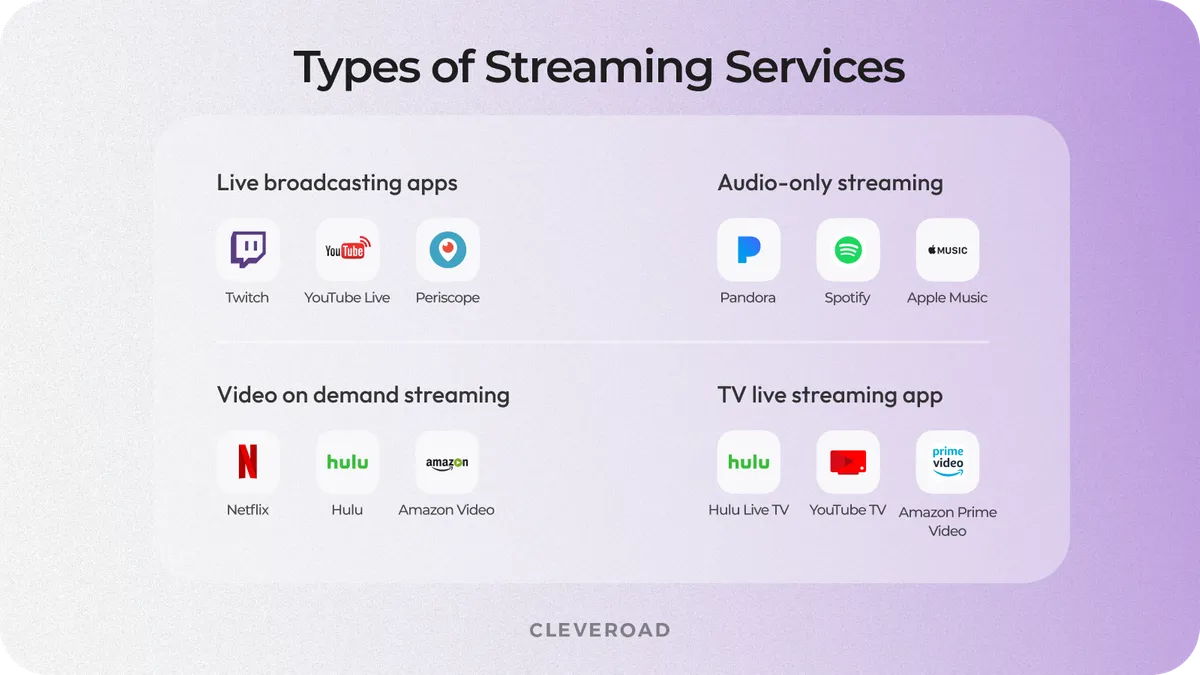
4 types of streaming services
Live broadcasting apps
Live broadcasting application is one of the most popular types of streaming media. Such a type of live streaming app encourages you to watch videos in a real-time mode. It’s recorded and broadcast simultaneously. You can build a live-streaming app that broadcasts gameplay (Twitch), conversations (Periscope, Instagram Live, Facebook Live), or even simple Q&A sessions (Periscope, Instagram Live, Facebook Live).
- Who needs live broadcasting platforms: content creators, gamers, educators, brands.
- Typical use cases: live gameplay, interviews, fitness sessions, and audience Q&A.
- Key technical requirements: low latency, real-time chat, moderation tools, and stream key management.
- Development complexity: high, as a full-featured livestreaming app requires real-time infrastructure and interactive features.
Audio streaming
The functioning principle for audio streaming apps is the same as for live streaming apps: users can listen to music in the app without downloading it. Everything is simple. Pandora, Spotify, and Apple Music are the most popular live streaming services for listening to music you can find today. If you're interested in how to build live streaming app for music, understanding the features and user experiences offered by these platforms is essential.
- Who needs audio streaming platforms: music platforms, podcasters, radio broadcasters, and media brands.
- Typical use cases: live radio shows, music streams, talk shows, and podcasts.
- Key technical requirements: stable delivery, licensing management, and the right streaming protocol for audio-first performance.
- Development complexity: medium, as audio streaming is less resource-intensive than video but still requires scalable delivery.
Check out our article about how to create a music streaming app to learn more
Video on Demand (VOD) streaming
VOD streaming allows users to watch TV series and movies without downloading them to their devices. However, a distinctive feature is that they can pause, resume, and rewind content. As a rule, users must pay for a subscription to access live video content. Netflix, Hulu, and Amazon Prime Video are leaders in this area.
- Who needs VOD platforms: media companies, education platforms, subscription-based services, etc.
- Typical use cases: movies, TV series, training libraries, and recorded courses.
- Key technical requirements: content storage, DRM, encoding pipelines, and smooth in-app playback.
- Development complexity: medium to high, especially when scaling content libraries and subscriptions.
By the way, if you are looking to build a VOD service like Netflix, feel free to read our guide.
TV live streaming app
The final streaming type that allows users to watch TV online. But when they switch to on-demand video streaming services, they lose their favorite TV shows, sports channels, series, and so on. That’s why companies create a video app with TV broadcasting. Hulu, YouTube TV, and Amazon Prime Video are video-on-demand platforms, but they also offer live TV streaming plans.
- Who needs TV live platforms: broadcasters, OTT platforms, sports networks.
- Typical use cases: live sports, news broadcasts, and scheduled TV programming.
- Key technical requirements: low latency, geo-restrictions, content licensing, and right streaming configuration for large audiences.
- Development complexity: high, as teams often need to build a web application alongside mobile apps to support wide device coverage and interactive streaming scenarios.
To summarize the main types of live streaming apps and highlight their differences from a business and technical perspective, the table below provides a concise comparison:
| Streaming app type | Who it is for | Typical use cases | Key requirements | Complexity |
|---|---|---|---|---|
Live broadcasting apps | Creators, gamers, educators, brands | Gameplay, interviews, fitness, Q&A | Low latency, chat, moderation, stream keys | High |
Audio streaming apps | Music, podcasts, radio, media brands | Music streams, talk shows, podcasts | Stable delivery, licensing, audio protocols | Medium |
VOD streaming apps | Media, education, subscription services | Movies, series, recorded courses | Storage, DRM, encoding, in-app playback | Medium–High |
TV live streaming apps | Broadcasters, OTT, sports networks | Live sports, news, TV channels | Low latency, licensing, geo-restrictions | High |
How to Build a Live Streaming App?
Building a live streaming product is not only about sharing video in real time. It is a multi-stage process that combines product strategy, UX design, scalable architecture, and long-term operational planning.
So, here are the most important steps you should undertake to create a live streaming app.
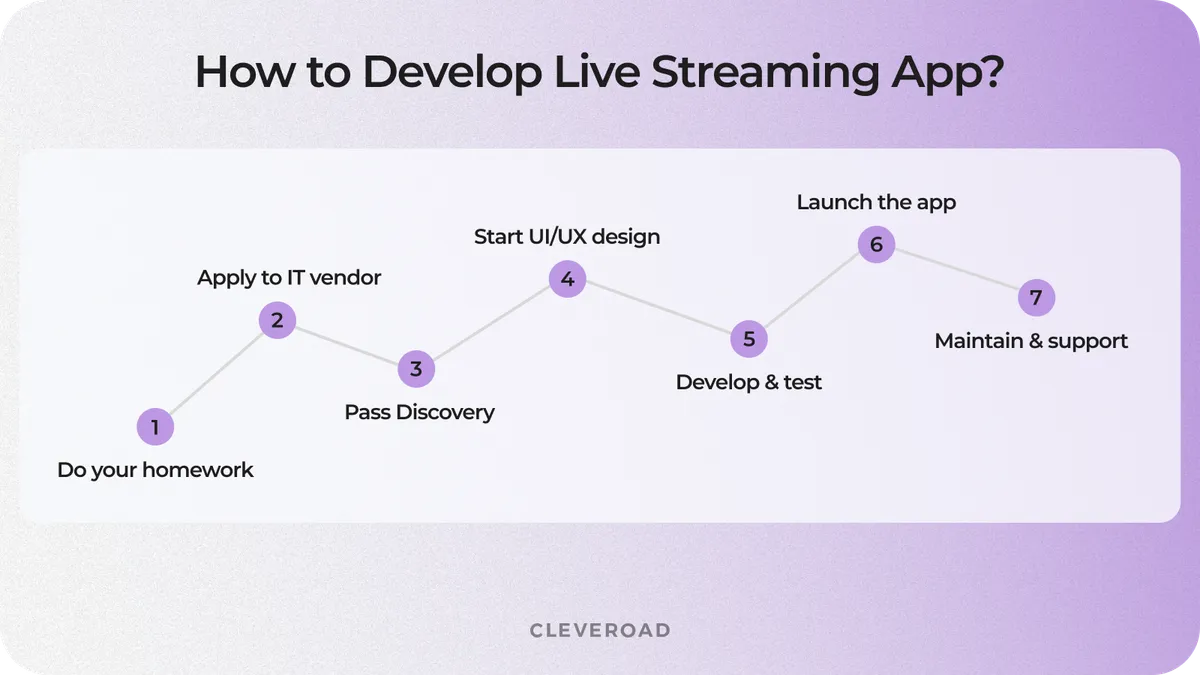
How to develop live streaming app?
Step 1. Gather business requirements
Before starting the streaming app creation process, you need to define the business context and technical boundaries of your future video streaming application. This step focuses on understanding who your users are and how they will interact with your product.
At this stage, you should clarify the following points:
- Whether your product relies on real-time interaction or scheduled broadcasts
- Expected audience size and content formats, etc.
- What type of streams do you plan to support
- Technical latency thresholds
These inputs help determine the right streaming approach before any technical work begins. After gathering this information, you can move forward with realistic expectations and clearer requirements.
Step 2. Ask a live streaming app development vendor for help
Once the initial context is defined, involving a specialized vendor early helps avoid architectural and cost-related mistakes. Live streaming solutions rely on complex infrastructure, which requires proven domain expertise to design and scale effectively.
When selecting an outsourced IT partner to develop a streaming app, it is important to evaluate several core factors:
- Experience in the media domain, including content delivery and media platforms
- Proven expertise in live streaming and real-time video solutions, not just general software development
- A strong portfolio with relevant case studies, ideally including live streaming or media-rich products
- Client reviews and market reputation on platforms such as Clutch, regardless of project domain
- Ability to provide a stable cross-functional team with relevant expertise and clear cooperation models
- Communication standards, including English fluency and experience working across time zones
We have delivered live streaming and media-rich software solutions across multiple industries. Ayoo is a social networking platform for dancers where our experts implemented live streaming functionality to support real-time performances, interaction, and community engagement.
Below is what Nicolai Altweig shares about our development approach and how we ensure clear, efficient communication throughout the project lifecycle.

 Switzerland


Once you select a vendor with relevant experience in live streaming software development, you can move into the execution phase. The steps below outline Cleveroad end-to-end delivery process for building live streaming applications, covering early validation, design, implementation, launch, and ongoing support.
Step 3. Pass the Solution Workshop and Discovery Stage
We start with a Solution Workshop, where the Cleveroad solution team works with clients’ stakeholders to align business goals with the technical realities of live streaming products. At this stage, we clarify use cases, audience behavior, and requirements for interactive streaming, including chat, reactions, moderation, and real-time engagement mechanics. The initial Solution Workshop is provided at no cost and helps validate assumptions before any development commitments are made.
Then, we continue with the Discovery Stage services, during which we define the end-to-end flow from video capture to playback, validate non-functional requirements such as latency and scalability based on use cases and constraints, and plan integrations with third-party tools and services like AWS. This phase results in a validated product scope, a high-level system architecture, UX concepts, and a delivery roadmap. By addressing technical and operational risks early, we ensure the solution is feasible, scalable, and aligned with both user expectations and business constraints.
Step 4. Start the UI/UX design stage
After discovery, your live streaming development project moves into the design stage. At this point, our UI/UX design services translate functional and technical requirements into interfaces that support real-time interactions. Special attention is paid to stream discovery, player controls, real-time feedback elements, and states affected by latency or network variability.
For live products, design decisions directly influence engagement, retention, and how users react to delays or stream interruptions. At this stage, visual concepts and interactive prototypes are prepared and validated against technical assumptions before development begins.
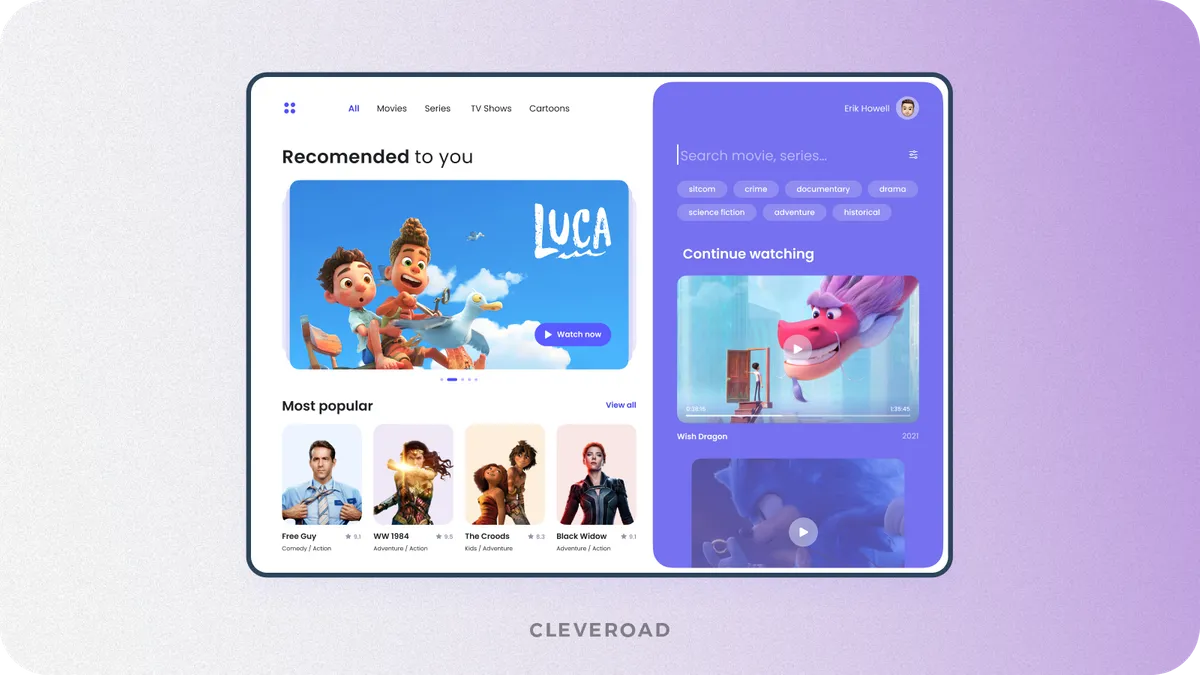
The example of video streaming platform designed by Cleveroad (Source: Dribbble)
Step 5. Develop and test a live streaming app
Once designs are approved, the development team starts implementing the core functionality across the streaming pipeline. Front-end and back-end engineers collaborate to build a video streaming app that supports video ingest, real-time playback, user interactions, and system integrations. Quality assurance runs in parallel to validate performance, stability, and behavior under load, including concurrency and latency-sensitive scenarios.
This stage focuses on turning design concepts into a stable production app that performs reliably under real-time conditions. As a result, we’ll build an end-to-end streaming flow that remains stable even when delays, dropped connections, or traffic spikes occur, which is critical for live environments where failures are immediately visible to users.
Get expert media streaming development services with flexible outsourcing models tailored to your live streaming app vision
Step 6. Launch the live streaming app
After development and testing are completed, the product is prepared for launch. This stage includes final performance validation by our QA engineers, deployment configuration, and readiness checks across the streaming infrastructure.
We give special attention to load handling, concurrent viewers, and real-time delivery stability to ensure the system performs under initial traffic. A controlled launch allows teams to validate assumptions, monitor system behavior, and quickly address potential issues. Early production feedback typically informs the first round of post-launch optimizations.
Step 7. Head to maintenance and post-launch support
Post-launch support is not mandatory for every application, but it is strongly recommended for live streaming products due to the complexity of real-time video delivery, fluctuating traffic, and continuous user interaction. Ongoing maintenance allows teams to monitor how the system behaves in production, quickly resolve incidents, and ensure the platform app performs consistently under load.
Live streaming solutions often depend on dynamic elements, including in-app purchases, evolving content formats, and frequent updates across front-end layers. In addition, maintaining a stable video experience requires continuous tuning as user behavior and traffic patterns change across platforms such as mobile and web. With proper post-launch support in place, companies that develop live streaming app solutions can treat live streaming as a scalable business asset rather than a growing technical risk.
Core Features for Live Video Streaming App
Any live streaming app relies on a core set of features that make real-time broadcasting, interaction, platform stability possible, and so on. Below are the essential components without which a live streaming product cannot exist.
Authentication and access control
Authentication defines how users access the platform and interact with live content. A basic setup usually includes guest access for viewers and registered accounts for active participants. It is especially essential when creating livestream experiences for different audiences.
This feature is important to separate viewer and streamer roles, as they require different permissions and capabilities. Moreover, this layer supports gated streams, where access is determined by subscriptions, payments, or invitations.
Creating a personal user profile
A personal profile is a simple way for users to manage their accounts and show who they are. It should have basic things like a username, profile picture, and a short bio. The personal profile makes it easy for users to feel connected and part of the app. For this stage of streaming app development, it just needs to cover the basics to work well.
Live video ingestion and delivery
Live streaming is not a single action but a continuous pipeline from source to viewer, requiring thoughtful design of the streaming system. This feature supports video ingest from cameras, screen-sharing tools, or Real-Time Messaging Protocol (RTMP) sources. The pipeline also includes encoding and transcoding to support a range of devices and network conditions. For efficient global distribution, platforms typically use a Content Delivery Network (CDN) to reduce latency and buffering. Treating live streaming as an end-to-end delivery flow is critical when building streaming app solutions that must scale.
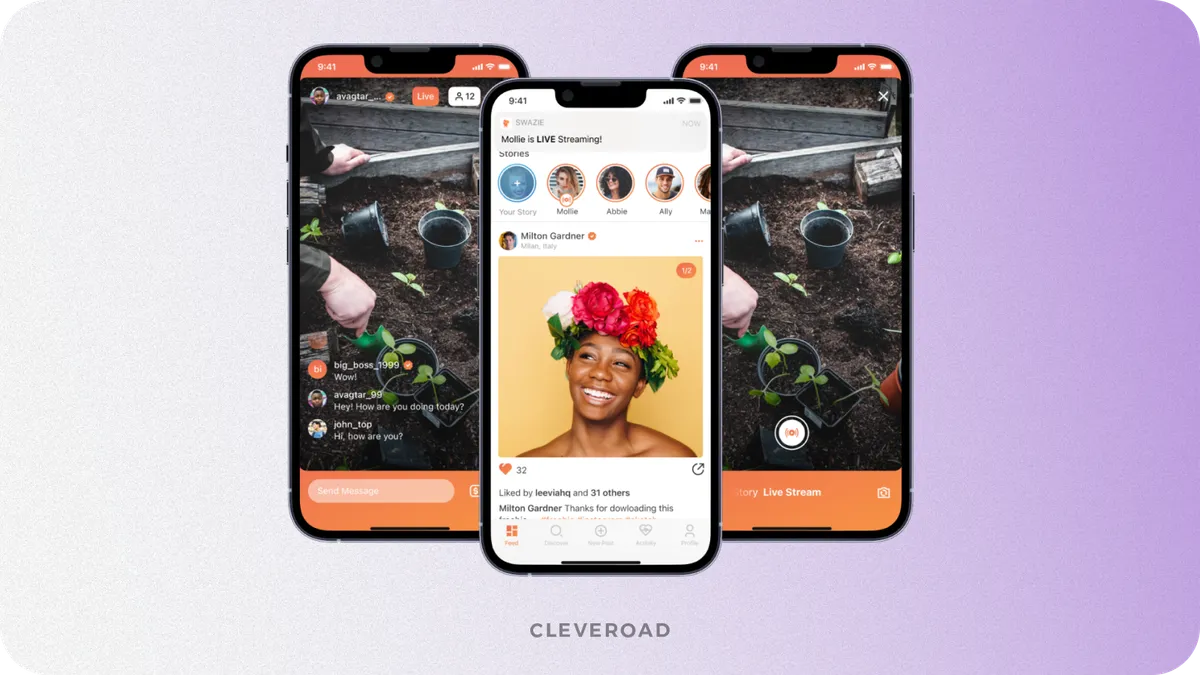
Donation-based social network with streaming capabilities developed by Cleveroad
Real-time audience interaction
Audience interaction turns live video into a two-way experience and differentiates apps built around real-time engagement from passive media platforms. Core interaction functionality includes live chat, reactions, and structured Q&A during broadcasts. These tools help viewers engage with streamers and with one another during live sessions.
Streaming and lifecycle management
This streaming functionality component governs how live sessions are created, scheduled, started, and completed across the platform. It includes stream status handling, session timing, and transitions between live and recorded content. Lifecycle management also covers retries, reconnections, and recovery in case of stream interruptions. Moreover, this feature reduces operational issues during real-time events and supports the development of live streaming platforms at scale.
Basic adaptive streaming for stable playback
Basic adaptive streaming is a foundational requirement for any live streaming app. It ensures stable playback by dynamically adjusting video quality based on network conditions, device capabilities, and connection stability in real time. Moreover, basic adaptive streaming allows streams to remain watchable across mobile and desktop devices, even when bandwidth fluctuates.
Moderation and safety management
Moderation and safety tools allow platforms to handle user-generated content responsibly and comply with platform policies. Basic moderation includes reporting mechanisms, blocking users, and applying moderation rules during live sessions. Safety management also supports delayed streams or manual review when required. These controls help prevent abuse and protect both creators and audiences as the platform grows.
What’s next? After receiving a positive response and confirming the project is viable, you can develop additional features.
Live Streaming App Features That Matter After You Prove Demand
You will find out what features you can add to your application in the process of live streaming app development to make sure it’s competitive with other players on the market.
Advanced streaming control
Advanced streaming control goes beyond a simple “Go Live” button. This feature set includes multi-camera streaming, stream switching, and adaptive layouts that adjust the presentation in real time. Support for ingest methods such as cameras, screen capture, and streaming via Real-Time Messaging Protocol (RTMP) allows professional-grade setups. These controls are essential when building a live-streaming product for events, education, or large audiences. They give creators flexibility while keeping the experience stable for viewers.
Donation system
A donation system remains one of the most effective monetization mechanisms for broadcasting platforms. It allows viewers to financially support creators during broadcasts and attach messages that appear on the stream. Donations often complement subscriptions and paid access models. This feature also helps you establish direct value exchange between audiences and creators.
Advanced delivery optimization across regions and devices
After launch, maintaining consistent quality across devices becomes critical. Adaptive streaming relies on bitrate ladders, device-aware delivery, and network fallback mechanisms. This ensures smooth playback on different screens and connection types. Proper optimization improves user retention and accessibility across regions. For teams requiring to start a streaming service or an app distributed through Google Play or App Store, this layer is essential for scale.
Screen sharing for professional use cases
Screen sharing is an advanced feature used in specific scenarios, not on all platforms. It is essential for teachers, webinar hosts, corporate trainers, and presenters who rely on visual materials.
Such an advanced feature to develop live streaming app supports demonstrations, tutorials, and collaborative sessions. Screen sharing often complements live video rather than replacing it. When used in the right context, it significantly expands platform use cases.
Audience retention mechanics
Retention features help users return to the platform after the live session ends. These mechanics include stream reminders, replays, and follow logic tied to creators or channels. Scheduled notifications ensure audiences do not miss important broadcasts. Replays extend the lifespan of live content beyond the event itself. Together, these features for your livestream app support long-term user engagement and predictable growth.
How Much Does It Cost to Build a Live Streaming App For Your Business?
The cost to build a live streaming application typically ranges from $40,000 to $150,000+, depending on factors such as complexity and scope. However, a detailed estimate can only be calculated after analyzing the key cost-forming factors, like the following ones:
- Feature scope and complexity, including real-time interaction, moderation, and monetization
- Streaming architecture and infrastructure, such as protocols, CDN usage, transcoding, and concurrency handling
- UI/UX design requirements, especially for live interaction and multi-device support
- Technology stack and integrations, including cloud services and third-party streaming tools
- Maintenance and post-launch support, covering monitoring, scaling, and performance optimization
Taking these cost-forming factors into account, live streaming platforms can be grouped by overall solution complexity. Each level reflects a different combination of feature scope, streaming architecture, and scalability requirements, which makes it possible to estimate an average development cost for each category:
| Live streaming app type | Typical cost range | Scope description |
|---|---|---|
MVP live streaming app | $40,000-$80,000+ | Core streaming, basic interaction, limited scalability |
Mid-scale live streaming platform | $80,000-$150,000+ | Advanced features, stable concurrency, monetization |
Enterprise live streaming solution | $150,000+ | High traffic, complex architecture, custom workflows |
A competent live streaming platform development vendor does more than just implement a broadcasting application. If you want to get a realistic cost estimate for your live streaming app, contact Cleveroad team to discuss your requirements and receive a tailored budget based on your goals and technical needs.
Cleveroad Expertise in Live Streaming App Development
Cleveroad is an experienced media software development company with 15+ years of experience, headquartered in the EU, Estonia. We offer high-quality and industry-savvy software solutions for live streaming, Video-on-Demand (VOD), content broadcasting, AR and VR apps, etc., to help media businesses enhance competitiveness and help deliver memorable user experiences.
We offer various media software services, including custom software development, software testing, DevOps, CDN, cloud, engineering, and big data. We also implement third-party integrations (e.g., Cloudflare CDN, Agora, Wowza, Pusher) to deliver live streaming, VOD, transcoding, content delivery, and real-time messaging while optimizing development time and budget.
We have extensive experience in developing media live streaming software. To demonstrate our expertise, we would like to present one of our recent cases - a versatile Video-On-Demand Platform called Blockbuster.
Blockbuster is a Danish company that provides local markets and other Nordic countries with home entertainment solutions, and they wanted to develop a streaming service delivering movie rental services online.
The company needed a technical partner for:
- Creation of a video-on-demand platform localized for the Nordic region and realization of features like enabling viewers to purchase or rent high-quality movies and TV series.
- Development of a VOD streaming platform that looks and works great across multiple screens, devices, and platforms, as well as functionality integration enabling video streaming from mobile devices to TVs.
- Designing a responsive on-demand video platform, ensuring consistency across devices, and making a high-quality UI design to ensure solid groundwork for wide user adoption.
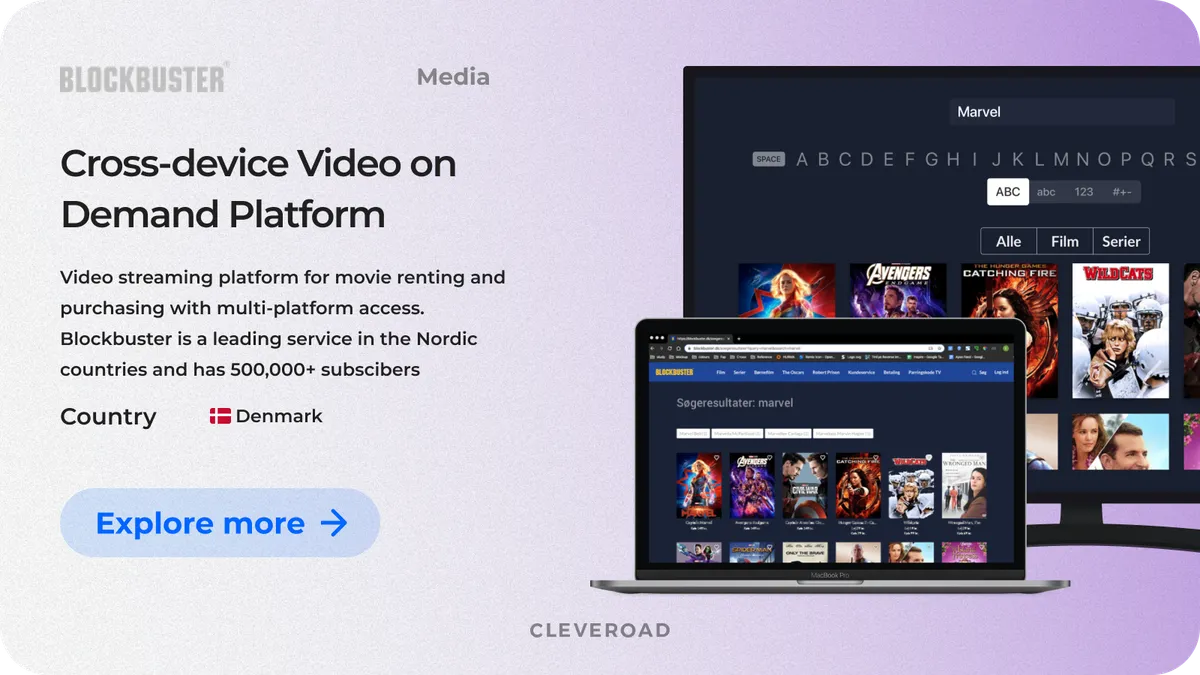
A versatile Video-on-Demand platform created by Cleveroad
Cleveroad has built a feature-rich VOD streaming solution with enhanced search functionality, that allows users to find the best matching films based on the filters applied. Also, our team implemented online payments through the payment gateway. Integration of the pay-per-transaction services allowed a one-time payment for viewing video content on-demand.
As a result, our customer received a cross-platform video-on-demand app that allowed to ensure substantial business growth by providing a comprehensive streaming experience for users. The service has hundreds of thousands of users in Denmark and is quickly increasing its audience in other Nordic countries. Thanks to the cloud infrastructure we used, the maintenance cost of solutions decreased by 50%. Moreover, the customer acquisition/retention rate increased by 20-30%, and our client received 10,000 new subscribers to the service within six weeks.
Feel free to explore our video-on-demand platform case study to learn more about this product.
If you want to start your own live streaming app with a reliable tech vendor, contact us! Our team with 15+ years of experience in media software development, is ready to create a multifaceted streaming application to help you engage users and boost your competitiveness.
Henrik Loop CTO Blockbuster, TDC gives feedback about cooperation with Cleveroad
To build a live streaming app, you need to treat it as a real-time system rather than a standard media product, combining product planning, streaming architecture, and long-term scalability from the start. Successful live-streaming apps are built through a structured process that aligns business goals with technical decisions instead of jumping straight into development.
Core steps to build a live streaming app:
- Define business goals, use cases, and requirements for streaming content before you create an app
- Ask broadcasting app development vendor for qualified assistance
- Design the streaming architecture, including ingest, delivery, and server infrastructure
- Choose the right protocols, CDN, and interaction layer while you build a custom solution
- Develop, test, and launch with load, latency, and reliability in mind
- Plan maintenance and optimization to keep the platform stable as usage grows
The cost to build a live streaming app usually ranges from $40,000 to $150,000+, depending on feature scope, streaming architecture, and scalability requirements. Expenses increase as the app supports video and audio, real-time interaction, push notifications, and professional RTMP-based streaming pipelines for reliable content ingestion and delivery. Working with an experienced vendor helps you build an efficient solution, control infrastructure costs, and make a video-streaming product that scales without unnecessary overhead.
A live streaming app typically includes real-time video ingestion and playback, audience interaction tools such as chat and reactions, and secure authentication with role-based access. Core features also cover streaming lifecycle management, moderation and safety controls, and adaptive streaming to maintain quality across devices. As the product grows, monetization, analytics, and retention features are added to support scale.
A live streaming app increases user engagement by enabling real-time interaction instead of passive content consumption. It opens flexible monetization options, including subscriptions, donations, and paid access to live events. For businesses, live streaming also creates differentiation and supports stronger retention through recurring, interactive experiences.
Live streaming app development requires clear product decisions supported by a solid technical foundation and a development process designed for real-time delivery. A live streaming product must handle continuous video flow, user interaction, and unpredictable load while remaining stable and scalable from day one.
At Cleveroad, we have over 15 years of experience in media software development and have delivered live streaming and media-rich applications for education, fitness, and digital platforms. Based on our hands-on delivery experience we’ve defined a practical step-by-step pipeline reflecting how production-ready live streaming products are built in real-world projects:
- Gather business requirements
- Ask a live streaming app development vendor for help
- Pass the Solution Workshop and Discovery Stage
- Start the UI/UX design stage
- Develop and test the live streaming app
- Launch the live streaming app
- Head to maintenance and post-launch support
Keep reading to find details on each step of this live streaming app development process, covering product planning, feature selection, monetization logic, and the technical decisions that impact performance and cost.

Evgeniy Altynpara is a CTO and member of the Forbes Councils’ community of tech professionals. He is an expert in software development and technological entrepreneurship and has 10+years of experience in digital transformation consulting in Healthcare, FinTech, Supply Chain and Logistics
Give us your impressions about this article
Give us your impressions about this article
Comments
8 commentsVery nice article.
nice blog
nice blog. keep it up!
Your article is too good. and thank you very much for sharing your blog with us. it looks very different and unique.
Really tnx for this amazing article : )
Precise and detailed description almost everything about the DEV part, Would be very much happy to see the same blog on TESTING part of the live streaming mobile app.

i love this article great use
Very happy to have stumbled across your landing page; you guys know what you are talking about.