Case Study: How We Improve Blockbuster Video Streaming App And Make It Bug-Free
Updated 26 May 2023
10 Min
3514 Views
What can be better than just enjoying an interesting film using your favorite online streaming service? When you work hard from early morning to late, I bet this pastime may seem something impossible at the moment. However, when the time of relax finally comes, you can choose a streaming service you like and immerse in the world of TV series and movies. Do you agree that the main condition for streaming service is a stable and proper functionality? Our customer completely shares our views and he wants to provide his users only with first-rate services, so he contacted us to help them fix the current situation.
But first things first.
About the project
Our customer is TDC Group company and it's CTO contacted our sales department to describe challenges they have and find out whether we could find an appropriate solution.
TDC Group is one of the largest Danish telecommunication services provider. The company provides local market and other Nordic countries with home entertainment solutions like the Internet, mobile voice services and communication like mobile and landline services, broadband etc. Apart from this, TDC Group offers cloud-based and other IT solutions like YouSee (play service), Fullrate (broadband services), Blockbuster (streaming service).
Blockbuster is a subsidiary company that was acquired by TDC Group in 2013. A streaming service that offers people to watch films and TV series, shows on a paid basis both online and offline. Service has the main website along with mobile iOS and Android versions. First, it is necessary to register on Blockbuster website. Service is oriented on Scandinavian countries, so it's website is available only in the Danish language.


Main challenges to solve
What was wrong with Blockbuster service on iOS and Android? Service provider described our specialists main troubles they would like to solve and improve their app. Despite the fact that apps were available in app stores, a large number of bugs and specific defects became the reason for improper app functionality and users' dissatisfaction.
Long homepage loading
Due to a large amount of data on a homepage, the app on both mobile operating systems was overloaded and it was lagging too much.
Bugs and improper functionality
The app's functionality had some holes in code, and due to a tangled code apps were functioning improperly.
UX logic was imperfect
Our customer had a few complaints concerning UX logic and they wanted to fix it and improve.
Lack of some necessary features
In addition, the customer decided to add a few features that enrich the app and make it more attractive.
Now let's proceed to the mobile application development services providing and how our developers fixed old bugs.
Blockbuster app improvement: how we did it
The main goal of Cleveroad specialists was to improve and fix bugs in already existing apps, enhance it with some new features. Apart from smartphones, Blockbuster app is also available on Chromecast, Apple TV, iPad and Android tablets.
Later customer decided to rebuild Android app, using new technologies. Initial Android app version was written in Java, and Kotlin was used by our developers to rebuild the app. iOS app remained written in Swift.
The development process was arranged in a bit different way, we had no project manager from our side - everything was controlled by TDC Group manager.
What we have implemented so far
App architecture optimization. In both apps our developers changed and optimized the architecture. Programmers made severe changes in architecture, so it led to the reduced lagging since they removed unnecessary elements. Also, the number of requests sent upon triggered action was reduced to one request. Thus, the app started loading faster and homepage loading was optimized as well. In addition, streaming quality was improved as well. To show you how architecture was changed, see below iOS and Android architecture types modification.
Android app architecture before:
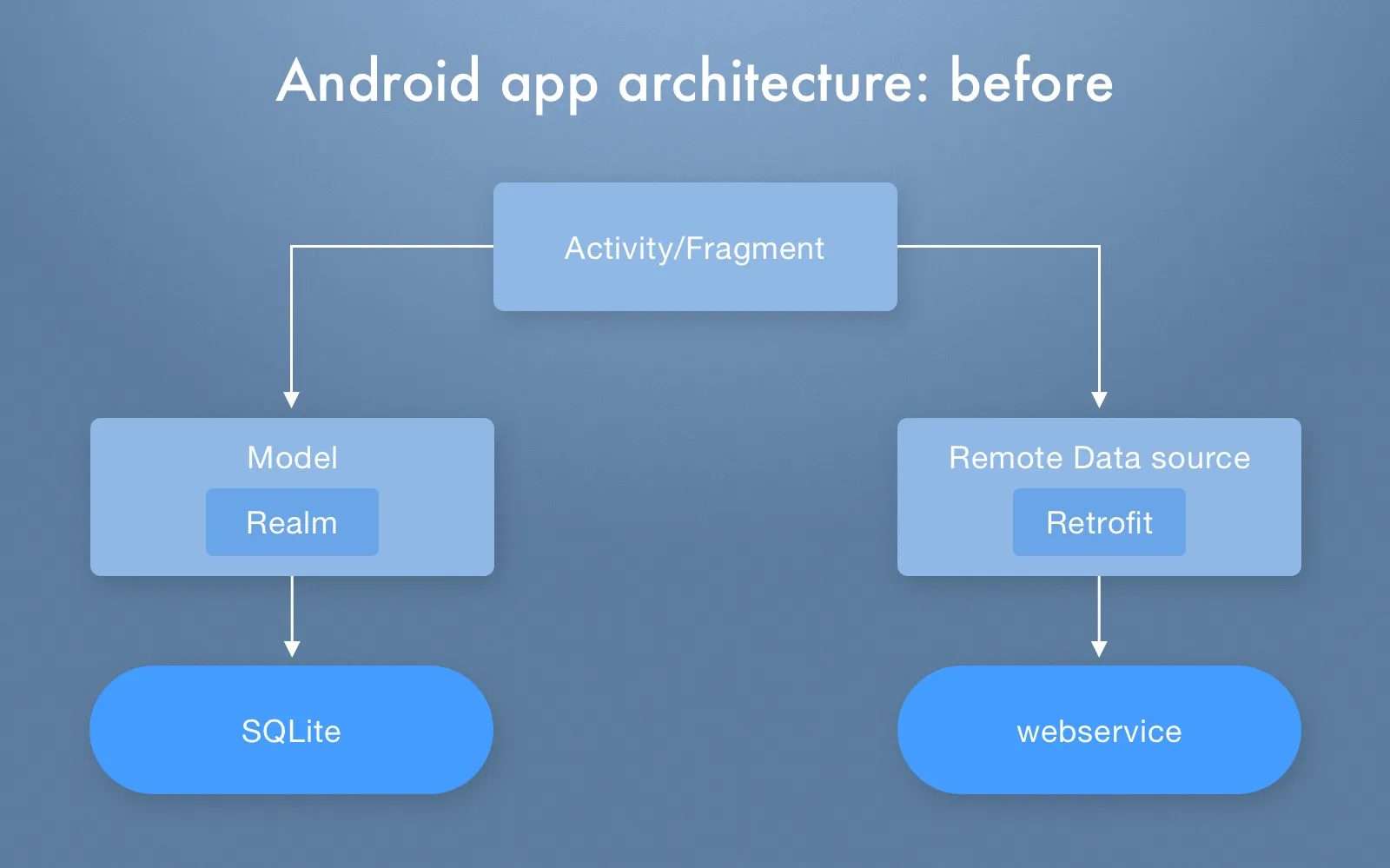
How Android app architecture was working befor
Android app architecture after:
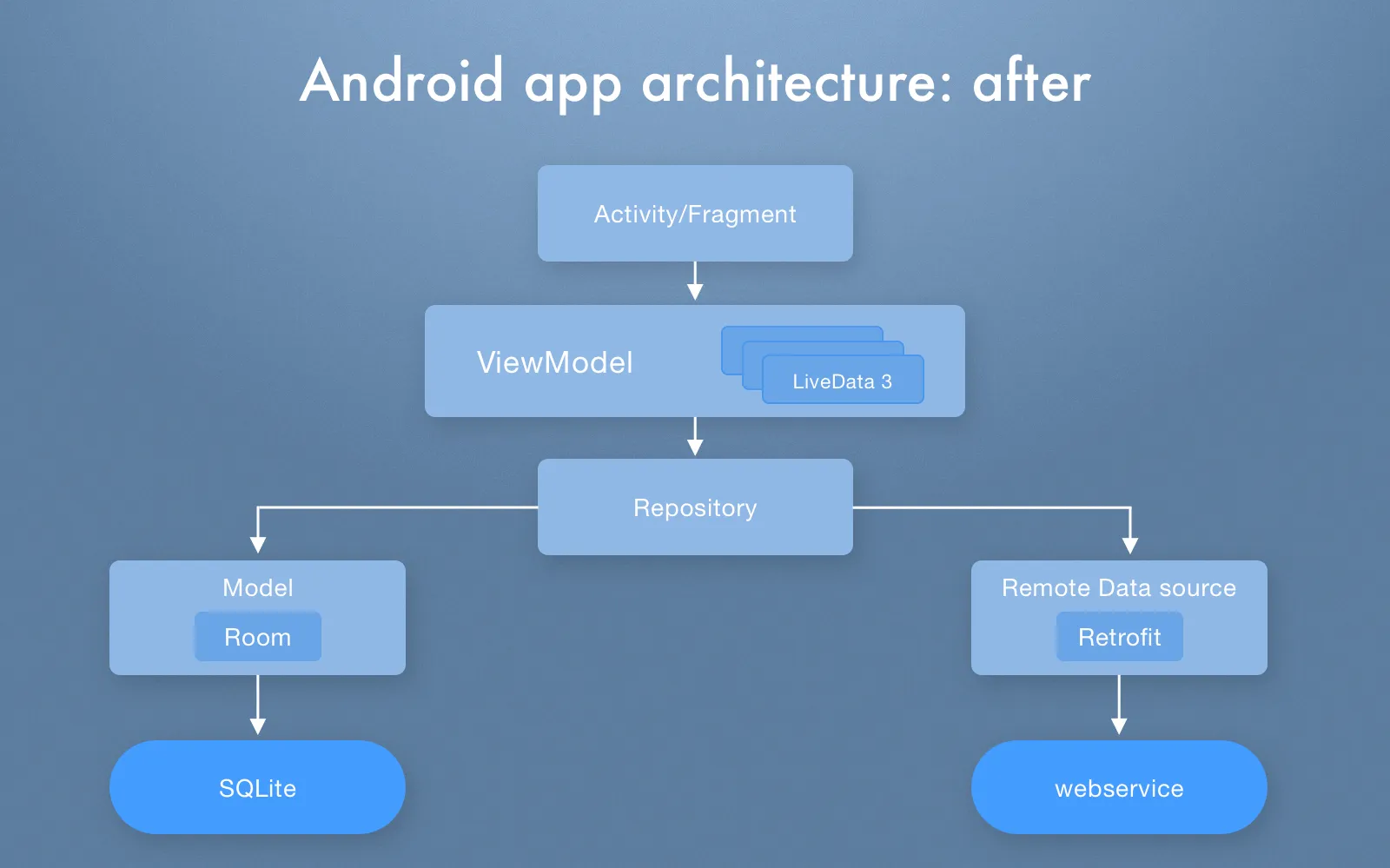
Android app architecture after we made upgrades
As we noted above, architecture was changed both in iOS and Android app versions, so pay your attention to the following scheme of how we changed Blockbuster app architecture on iOS:
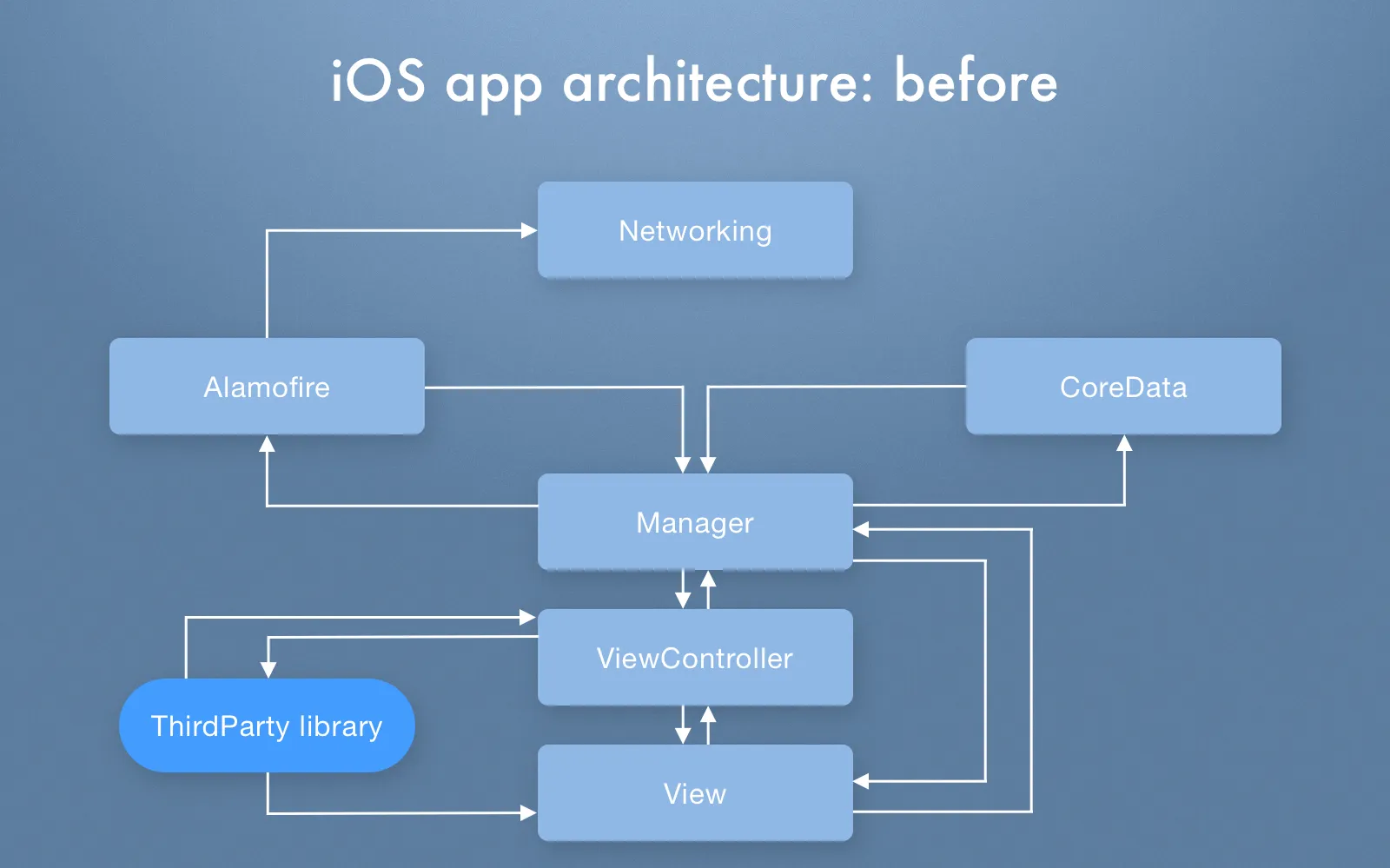
Blockbuster app architecture before
iOS app acrhitecture after:
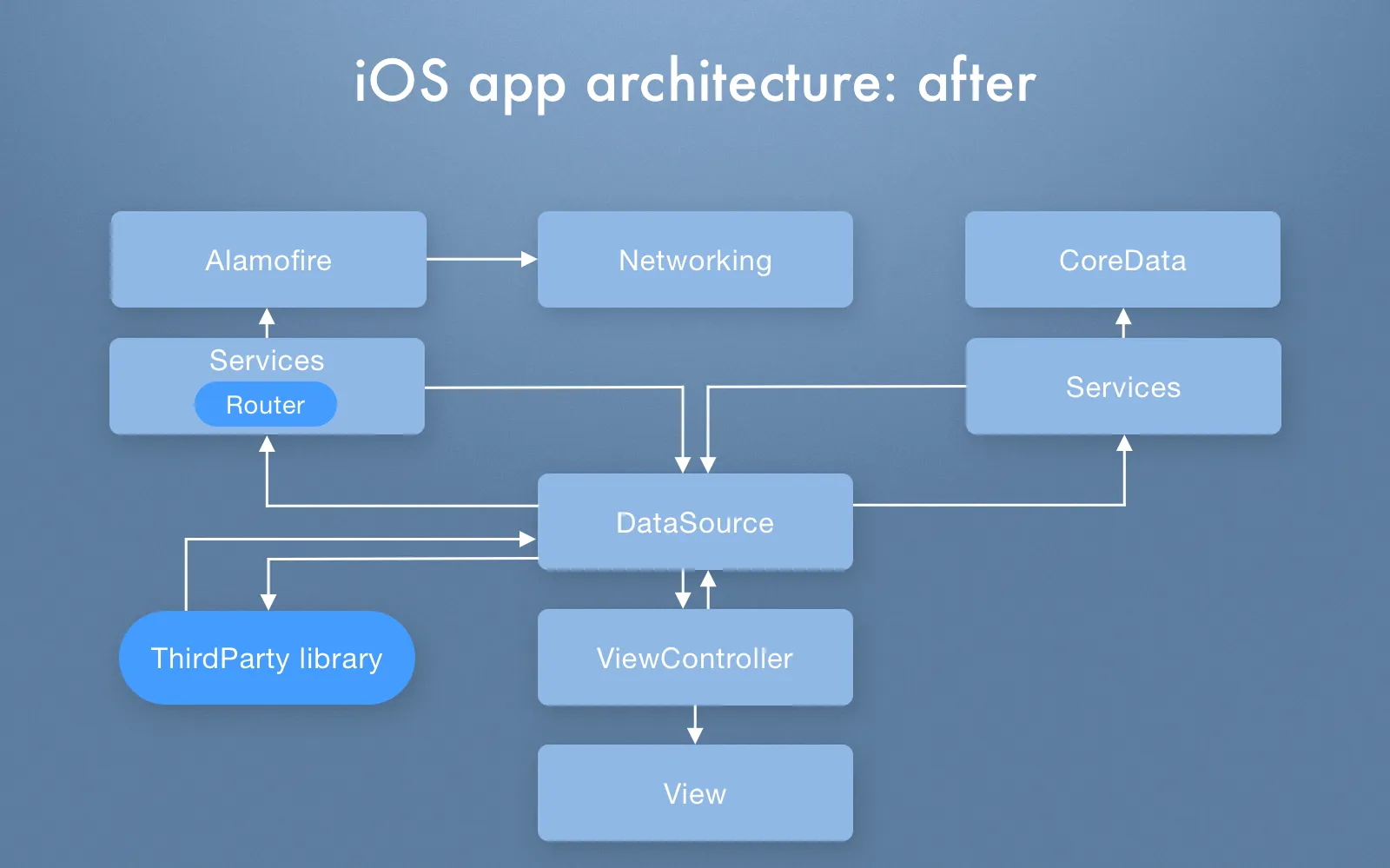
Current architecture of Blockbuster app on iOS
Self-documenting code integration. Due to problems with unoptimized architecture, iOS developers rewrote the code and made self-documenting code. This is a code type that is clean, easy-to-read, any third-party developer can deal with it without troubles. As a result, the app works like a clockwork.
Animations. More animated icons were added to the description of movies, TV shows, and TV series. The goal was to make a content more vivid and brighter.
Optimization of content description. Before, when you loaded the app, all content on the homepage was presented with a description below each icon and it led to lagging and overloading of the app. Our developers changed the structure, now you can click on the movie icon, for example, and movie description will pop up on the screen. Such optimization makes loading homepage faster since redundant elements are removed.
Check it out how we built MetKnow app to connect people. Read How we created MetKnow app for business relationships building
Subtitles fixing. There was a trouble with subtitles functionality on Chromecast, it didn't load upon request, so this bug was fixed and improved by developers.
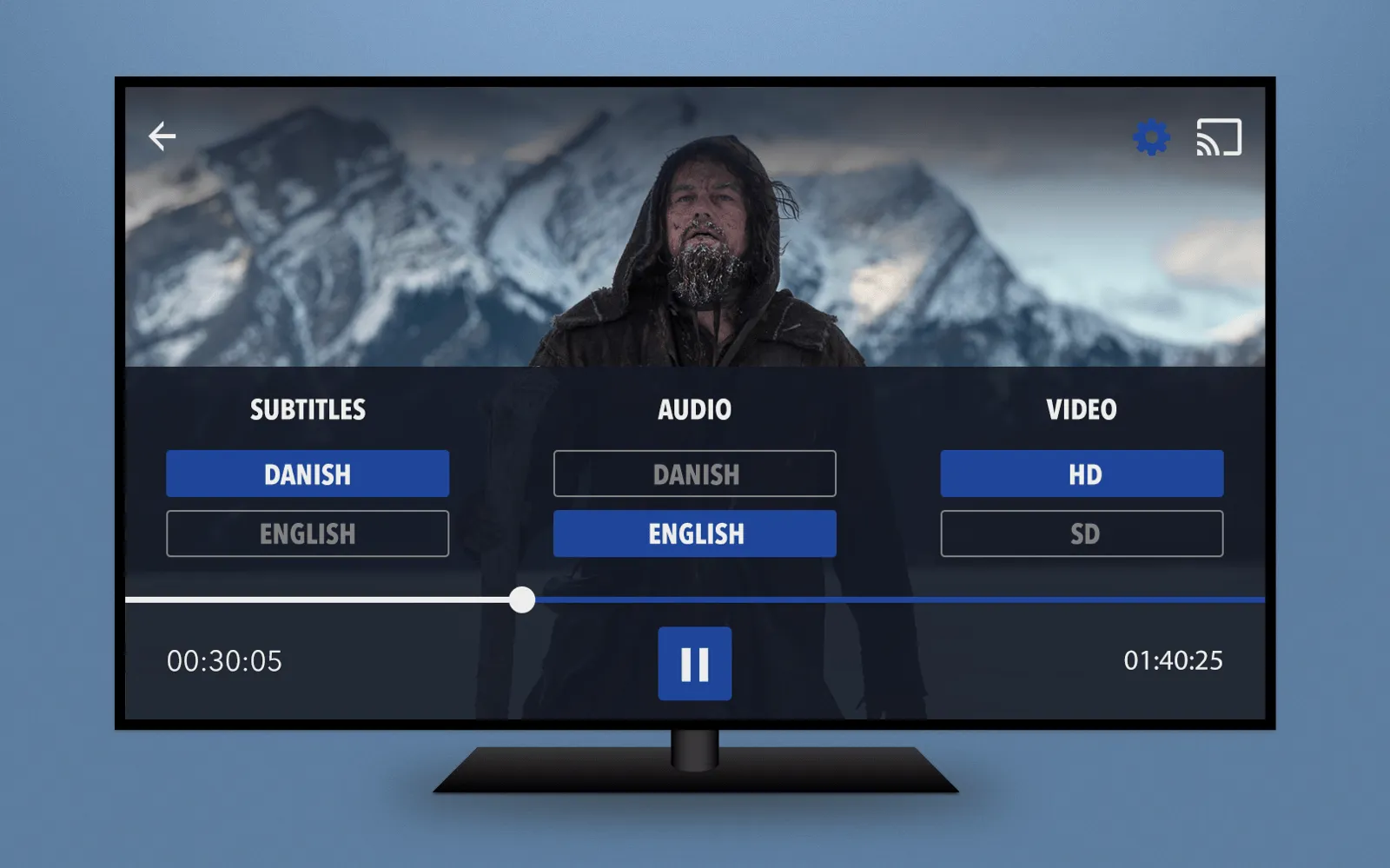
Subtitles in Blockbuster app on Smart TV
Movies downloading. Older Android app version didn't have a feature to download a movie on your mobile device. Now you will be able to download it and watch later when you want.
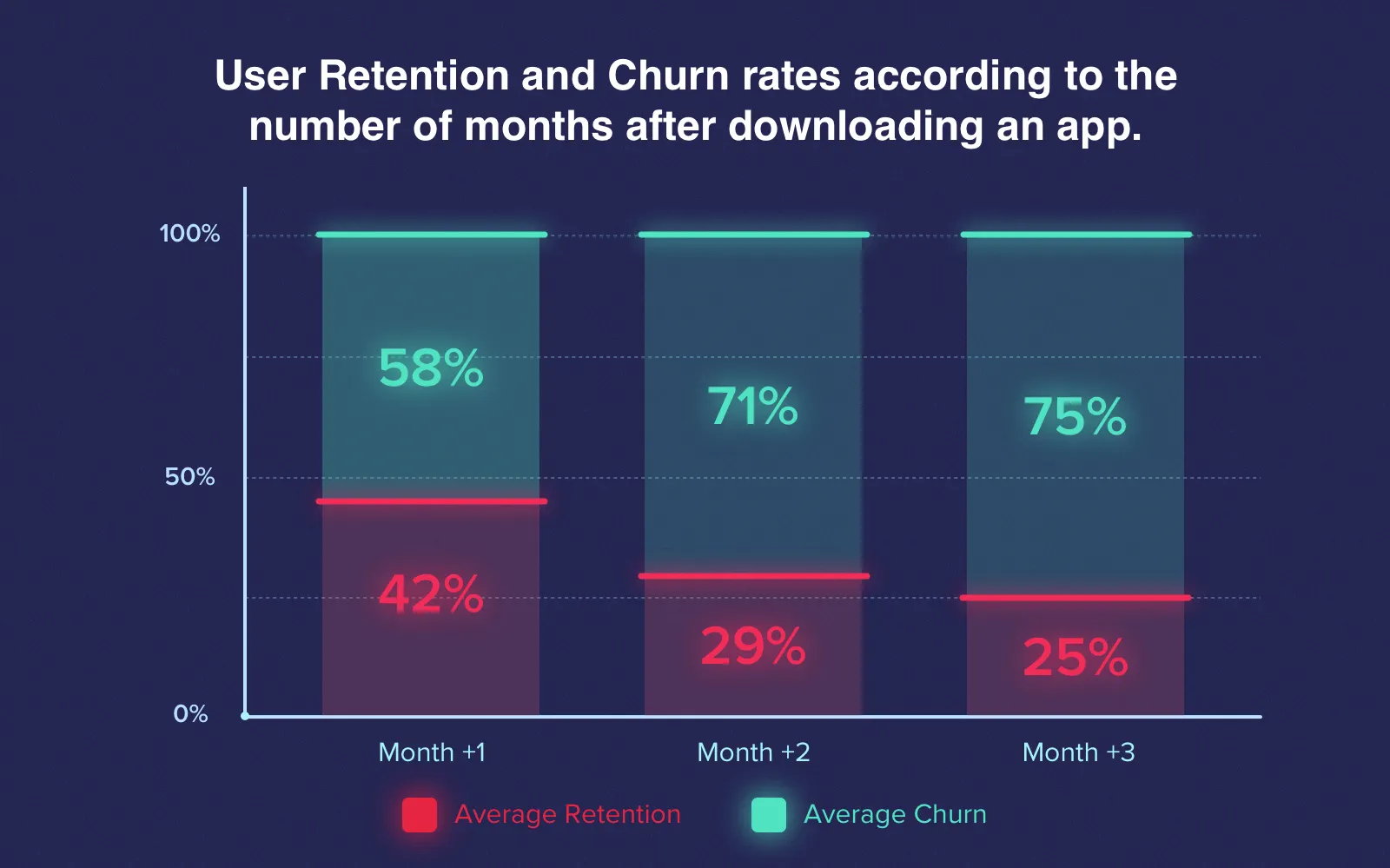
Movie downloading process
That is what was implemented by our specialists, but there are a few tasks that they plan to implement in the future as well. Expected features you will find in the last section of the article.
Testing process
The testing process is fully performed by customer's QA engineers. After each bug fixing/feature added customer tested it, and then, if everything worked properly, our developers rolled out upgraded version. So we have a very tight collaboration with a customer and he keeps an eye on all things.
What about other Blockbuster features?
Apart from new features added, there are other integrated features we want to share with you to show all Blockbuster app capabilities.
Sign-up
Users can sign in via Facebook or use Blockbuster website to register and use all capabilities of the app without limitation.
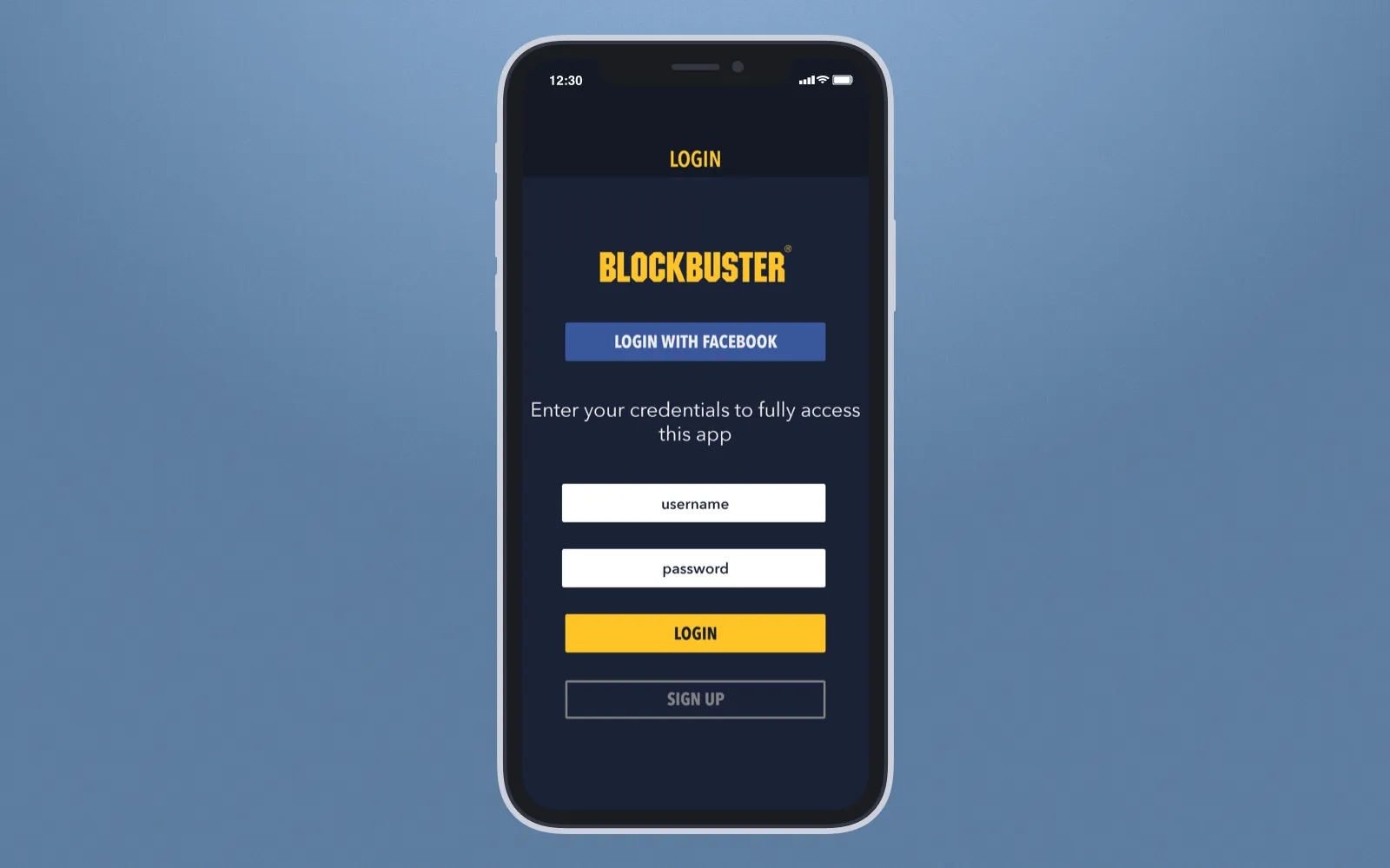
Sign-in or registration
Payment plan
There are two payment plans - rent (you can rent a movie, TV series or show, and it will be downloaded to your mobile device where it will be stored 48 hours) or purchase (you buy a film and it is stored on your device until you remove it at your will). By the way, payment is made via the website, you should link your banking card and when you click a payment button in your iOS or Android app, it redirects you to the website.
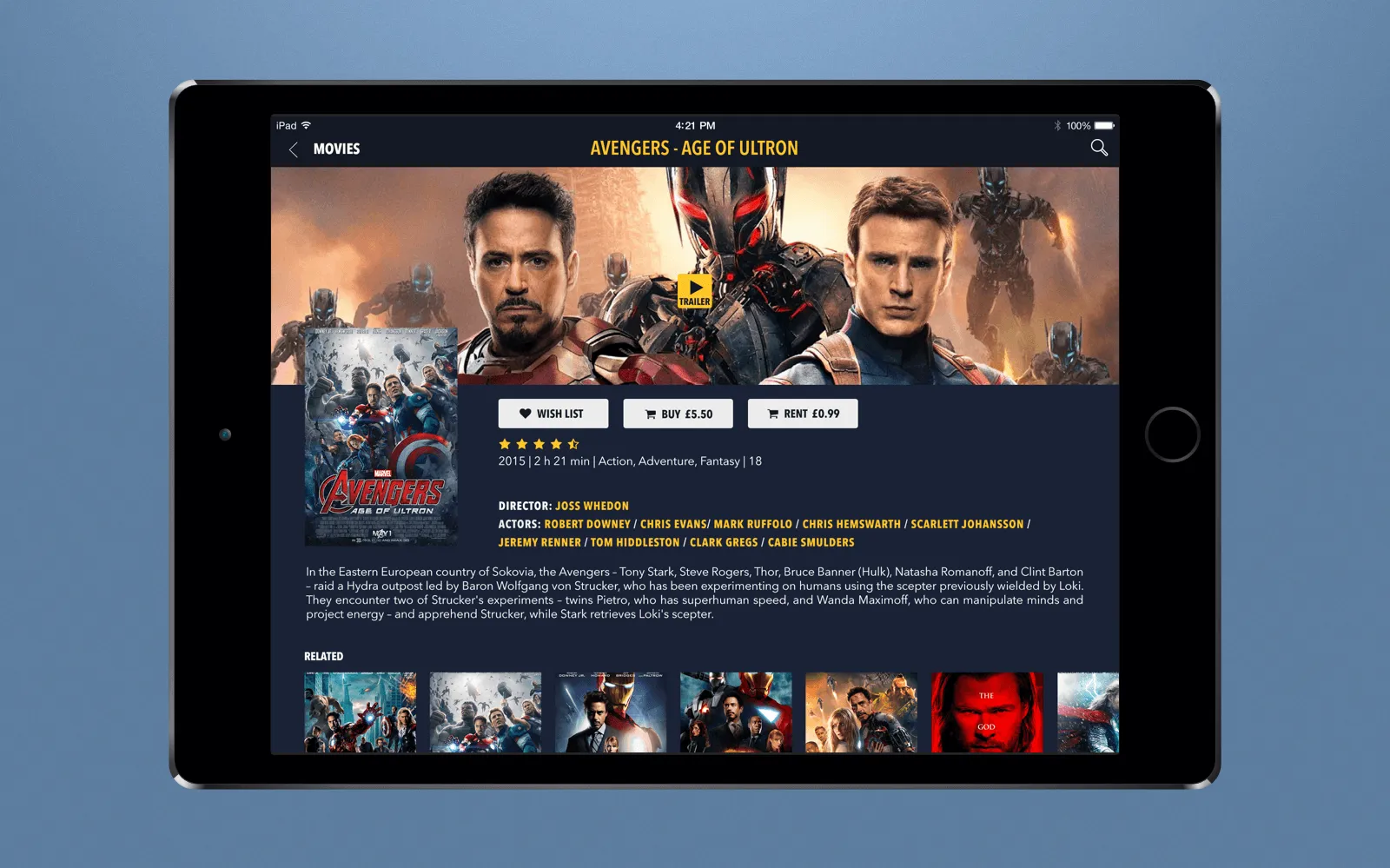
Buy or rent a film via Blockbuster app
Find out how we build right mobile development team. Read Mobile development team: aspects and steps to build a first-rate app at Cleveroad
Search
Searching by genres, type and actors can be made using a search bar integrated into the app. Everything is simple.
Search bar to find a movie or TV show
Collections and wishlist
Users can create collections of their favorite movies and shows, add new content to wishlist to buy or rent it later. Also, in My collection section all bought and rented content will be listed.
Rating
A feature that is available in almost all apps. Simply rate the movie you watched - it will help other users make their decision concerning whether they should spend their money on this movie or it'd be better to find something more interesting.
Settings
Depending on user's requirements, in settings he/she can change the account and language, activate HD mode, find FAQ and help guide, terms & conditions of use.
Technical background
The main task of Cleveroad is to upgrade and improve mobile app versions, we didn't intervene in back-end part, so we used tools only for mobile app development.
Android app
- Kotlin. New language was used to rewrite and upgrade the app that was built using Java before. Kotlin has more simple and clear syntax that helps build apps faster;
- RxJava 2. Library for a quick composing of the programming code;
- Retrofit 2. HTTP-client for working with API in client-server apps; Jackson. Library for conversion of Java objects to JSON files;
- SQLite/Room. SQLite is a relational database management system, and Room framework was used as an add-on with SQLite for storing all app data;
- Glide. Open source library for loading images, videos, and GIFs;
- Exoplayer. Media player for Android;
iOS app
- Swift 4.1. The most recent Swift programming language version was used to upgrade the app;
- Fabric. Modular development suite for different platforms;
- Crashlytics. Delivery of interactive and detailed crash reports in a real-time mode;
- Alamofire. HTTP networking library to simplify general networking tasks;
- Youbora. Advanced suite of integrated video analytics and business intelligence for broadcasters;
- AirPlay. Apple proprietary protocol for wireless streaming between audio and video devices;
- AVFoundation. Apple framework for working with time-based audiovisual media;
- CoreData. Framework for the interaction with a database.
Also, Chromecast SDK and Facebook SDK were used for both Android and iOS app version.
The future of the project
The development process of Blockbuster app is not over yet, and our developers plan to work on the following features:
#1. In iOS app, developers will work on the improvement and optimization of the logic of content displaying.
#2. In Android app, our programmers will need a feature of video quality selection.
The project has started in March, and customer plans to release updated apps in the of September - beginning of October. It is possible that some other upgrades will be implemented in the app as well within this period.
How Agile methodology helps us build first-rate apps. Read Agile application development methodology: how we ensure app quality
As with any other project, Blockbuster app helps our development team use their skills and build high-class software. Do you need any consultation or you plan to build your own app? Contact us and get a free estimate on your product.

Evgeniy Altynpara is a CTO and member of the Forbes Councils’ community of tech professionals. He is an expert in software development and technological entrepreneurship and has 10+years of experience in digital transformation consulting in Healthcare, FinTech, Supply Chain and Logistics
Give us your impressions about this article
Give us your impressions about this article