How to Develop Learning Management System in 2026: Cost and Development
Updated 16 Jun 2026
22 Min
2871 Views
A modern learning management system now does far more than host courses. It combines role-based access, subscription models, compliance workflows, analytics, mobile access, and, increasingly, AI-powered personalization.
For many founders, product managers, L&D directors, and training leads, the real question is not simply how to create learning management system functionality. The harder question is how to build an LMS that will continue to work as your audience grows, your compliance obligations expand, and your training model becomes more complex.
At Cleveroad, we have built educational platforms for a range of learning scenarios. In this guide, we'll explain how to build a learning management system from scratch, what features matter most, how much LMS development costs, and when custom development becomes a better long-term investment than ready-made software.
Key takeaways:
- Custom LMS development typically costs $70,000-$160,000 for a Minimum Viable Product (MVP) or mid-scope eLearning platform. Enterprise solutions with AI, analytics, and advanced integrations can exceed $200,000.
- LMS platforms can be built with WordPress, no-code tools, or custom development. Custom solutions provide greater flexibility, scalability, and ownership of learning data.
- AI is becoming a standard LMS feature. Personalization, adaptive learning, automated assessments, and predictive insights improve learner engagement and outcomes.
- A custom LMS MVP usually takes 4-6 months to develop. Enterprise-grade platforms often require 9-14 months for integrations, security, and scalability.
What Is a Learning Management System?
A Learning Management System delivers and tracks training. Companies use LMS platforms for employee onboarding and professional growth. Universities use them for digital coursework. Healthcare, finance, and other regulated industries use them for compliance training and certification records.
To understand how to create an LMS, you first need to define what this product actually does in business terms. An LMS is the operational system behind training: it delivers content, tracks progress, enforces permissions, stores compliance evidence, and measures learner engagement.
Core business roles inside an LMS
An LMS operates through a set of interconnected business roles that ensure smooth delivery, management, and support of the learning process. These roles help organizations structure responsibilities clearly and maintain an efficient learning environment.
- Learner: accesses learning content, completes courses, participates in assessments, and tracks personal progress through dashboards and completion indicators
- Trainer: delivers training sessions, manages learning groups, evaluates performance, and supports learner engagement through feedback and guidance
- Administrator: configures the LMS, manages users and permissions, monitors system performance, and ensures overall platform operations run smoothly
- Content Creator: develops, structures, and updates learning materials, including courses, modules, quizzes, and multimedia resources aligned with learning objectives
- Learner Support: provides assistance with technical issues, access problems, and learning-related questions to ensure a seamless user experience across the platform
Together, these roles form a complete ecosystem that enables organizations to effectively deliver, manage, and scale digital learning programs within an LMS.
Three Paths to Build an LMS
After defining the industry context, you need to choose the right development path. This is one of the most important decisions because how you build your learning management system will affect scalability, operating costs, feature flexibility, and future migration risks.
You can buy or build an LMS. The right path depends on your expected user count, payment model, content strategy, mobile requirements, and integration needs. The cheapest launch option is not always the cheapest ownership option. Plugin fees, marketplace fees, rebuild costs, and operational work can become more expensive than custom development over time.
No-code and low-code platforms: useful for internal training
No-code and low-code platforms can work for internal training portals, HR learning workflows, or simple employee enablement products. Tools such as Microsoft Power Apps, Dataverse, Knack, and Bubble can help you launch faster when user logic is predictable and the workflow does not require extensive customization.
The cost may range from $20,000 to $60,000+, plus platform fees. The main risk is that fees scale with user growth, whereas product flexibility does not always keep pace. Complex integrations with Human Resource Information Systems (HRIS), Electronic Health Records (EHR), Enterprise Resource Planning (ERP) systems, identity providers, or proprietary systems can become difficult if the platform does not expose the necessary backend logic.
This path can be practical when you need an internal MVP and have limited engineering capacity. It becomes risky when the LMS is your core product, your revenue depends on subscriptions, or your users expect native mobile access.
WordPress plus LMS plugins: fastest launch, lowest ceiling
WordPress with plugins such as LearnDash or Tutor LMS can work if you run a small course site, have a simple catalog, and do not need complex mobile access. It is often sufficient for a single-instructor business, an early-course marketplace, or a training site with fewer than 5,000 users.
The cost to launch this type of LMS can range from $3,000 to $15,000+, depending on design, plugins, integrations, hosting, and setup. The drawback is that the platform can become difficult to manage as the business grows. As you add plugins, maintenance risk and fragmented subscription flows pile up, while mobile learning and fine-grained content control stay limited by whatever the plugins happen to support.
Our practice shows where this path often reaches its limit. Many businesses initially launch their eLearning platforms on WordPress to validate their idea and enter the market quickly. However, as their user base, content library, and business requirements grow, they often reach the platform's limitations in scalability, performance, customization, and integration. At this stage, clients frequently turn to us to migrate from WordPress-based solutions to custom LMS platforms that can better support growing learner communities and evolving business needs.
In one of our projects, Crossfader, a multi-functional education platform for DJs, we modernized the web app, created a native iOS application, and built a custom Admin Panel.
The customer is a UK-based eLearning company behind a rapidly growing DJ education platform that serves more than 5,000 users in 100+ countries. As the business expanded, the client wanted to introduce a new subscription-based revenue stream, improve the learning experience for students, and move beyond the limitations of its existing WordPress-based platform while preserving its established user base.
WordPress remained on the guest-facing side to preserve SEO equity, while the learning experience, subscriptions, content access, and admin workflows moved to a more flexible system.

Crossfader DJ education LMS platform modernized by Cleveroad
As a result, the customer received a dynamic and monetizable LMS that supports learners. The platform offers flexible access across web and mobile, enables fast content updates, and has successfully shifted to a modern tech stack that ensures scalability and improved user experience. With measurable outcomes, including 45% faster content publishing cycles, up to 30% improvement in user engagement, and a 25% reduction in operational overhead due to improved and automated workflows.
Here's what Jamie Hartley, CEO & Founder at Crossfader, says about cooperation with Cleveroad
Jamie Hartley, CEO & Founder at Crossfader. Feedback about cooperation with Cleveroad
Custom development: when ownership and scale matter
Custom LMS development is the right path when the platform is central to your business model. It is also the better option when you expect a large user base, need unusual subscription rules, require native mobile apps, or operate in a regulated industry.
Development costs are primarily influenced by the platform's functionality, integration needs, user volume, and compliance requirements. While a basic LMS may cover course delivery and learner management, features such as mobile applications, advanced reporting, certifications, and personalized learning paths can significantly increase the overall project budget.
Custom development also makes AI features more realistic. Adaptive paths, content recommendations, AI-generated quiz questions, and predictive analytics are needed to track learning database management and establishing flexible architecture. Research on AI-driven personalized learning shows that deep learning methods can support customized learning pathways when systems are designed around learner data and feedback loops. Research also supports this approach. For example, a PubMed study explores how deep learning can be used to create personalized learning pathways and improve educational outcomes.
For LMS providers offering mobile subscriptions, platform-fee economics can significantly influence technology and monetization decisions. While app marketplaces may charge commissions of up to 30% on subscription revenue, we found that alternative payment processing approaches can reduce transaction costs to around 3%, potentially preserving up to 27 percentage points of margin per subscription. For businesses operating at scale, this difference can have a substantial impact on profitability and long-term revenue growth.
Below, examine a detailed table on how to choose the right LMS build path:
| Decision factor | WordPress + plugins | No-code / low-code | Custom LMS |
|---|---|---|---|
Best for | Small course sites | Internal training portals | Scalable learning products |
Expected user count | Under 5,000 | 1,000–10,000 | 10,000+ |
Subscription logic | Basic | Moderate | Fully custom |
Native mobile app | Limited | Possible but constrained | Full control |
Offline learning | Usually unavailable | Limited | Supported by design |
Compliance workflows | Weak to moderate | Moderate | Built into architecture |
Long-term ownership | Low | Medium | High |
Types of Learning Management Systems
When you know which build path fits your business, it becomes easier to choose the LMS type. This section helps you compare the most common LMS categories so you can decide whether to use an existing system, customize a platform, or build an LMS from scratch.
Open-source LMS
Open-source LMS platforms give you access to the codebase, which can reduce licensing costs and increase flexibility. Moodle is the most widely known example. The tradeoff is that you need internal or vendor-supported engineering capacity to manage hosting, updates, security, plugins, and customizations.
This option can work for universities, NGOs, and public-sector organizations that have strict budget limits but can support ongoing technical maintenance.
Best for: organizations with technical teams capable of configuring, hosting, and maintaining the platform.
Commercial LMS
Commercial LMS products such as Absorb LMS, iSpring Learn, TalentLMS, and Docebo provide packaged learning workflows, dashboards, reporting, and integrations. They are faster to adopt than custom platforms and can work well for standard corporate training.
The limitation is product fit. If your learning business needs non-standard subscription logic, custom mobile access, deep analytics, or specific compliance workflows, commercial tools may force you to adapt your process to the platform.
Best for: companies that want a ready-made platform with vendor support and predictable onboarding.
On-premise LMS
An on-premise LMS is hosted on the organization's own infrastructure. It may be relevant for government, defense, finance, healthcare, or large enterprise environments where data control policies do not allow a fully cloud-based setup.
The downside is higher maintenance responsibility. Your team has to manage infrastructure, security updates, backups, scaling, and monitoring. For most education businesses and corporate training teams, cloud LMS architecture is more practical.
Best for: organizations with strict infrastructure control requirements.
SaaS LMS
SaaS LMS platforms are cloud-based and usually billed monthly or annually. They are well-suited for employee training, onboarding, and small- to mid-sized learning programs. The vendor handles hosting and updates, reducing infrastructure workload.
The limitation appears when you need product differentiation. If your LMS is the core of your business rather than a support tool, you may eventually need workflows that a standard SaaS platform does not support.
Best for: companies that need fast rollout, vendor-managed hosting, and predictable subscription pricing.
Integrated LMS
An integrated LMS connects learning data with the systems your organization already uses. For example, an enterprise LMS may pull employee data from an HRIS, use SSO for access, send training records to compliance systems, or connect with billing tools.
Integration planning is one of the strongest reasons to build a custom LMS. The architecture must support stable APIs, permission mapping, event handling, and data synchronization.
Best for: enterprise learning ecosystems connected with HR, ERP, CRM, identity management, or student information systems.
How to Build an LMS from Scratch: 6 Steps
After choosing the LMS type and development path, you can move to execution. This section explains how to build an LMS from scratch in a practical sequence, from validation to release and maintenance.
Step 1. Validate the LMS idea and target audience
Before writing code, define the learning problem your LMS solves. This includes the audience, training model, content format, monetization approach, compliance requirements, and success metrics.
Validation should answer practical questions. Who will use the system every week? Why will they choose the right LMS instead of an existing platform? What learning outcome should improve? What data must be tracked? What workflows are too specific for an off-the-shelf tool?
On our nursing education LMS, we did not run a long separate Discovery phase. Preliminary research, requirements, and architecture decisions ran inside the sprint preceding each development sprint. This worked because the client already had a clear product direction and an engaged focus group for ongoing feedback. For greenfield projects with unsettled requirements, we usually recommend a more formal Discovery phase.
At this stage, our team can help you define the product vision, user roles, MVP scope, architecture risks, and estimated budget before full-scale development starts.
Step 2. Choose a development partner
The right development model depends on how much product ownership and technical capacity you already have.
A dedicated team works well for end-to-end product development, including business analysis, UI/UX design, engineering, QA, DevOps, and project management. Staff augmentation works when you already have a product team and need specific specialists to extend it. A fixed-scope project may be a good fit if you already have complete documentation and need a vendor to execute a defined build.
For companies that need extra engineering capacity, our IT staff augmentation services help extend an internal team with specialists matched to the required stack and delivery model.
Step 3. Start LMS development from an MVP
An MVP helps you test the core learning model before investing in enterprise features. For most LMS products, the MVP should include user registration, role management, course management, content access, progress tracking, assessments, admin panel basics, and reporting.
The purpose of the MVP is not to build a small version of everything. It is to build the smallest, most reliable version of the learning experience that demonstrates product value. For a paid education platform, that may include subscription logic. A corporate LMS may include manager dashboards. A healthcare LMS may include compliance records from the start.
If you want to reduce risk before full development, our MVP development services can help define and build the first product version around measurable business goals.
Step 4. Design user-centered LMS UI/UX
LMS design should reduce friction. Learners need to understand what to do next and why using a learning management system can help enrich the experience. Trainers need to create and manage content without engineering help. Administrators need clear access to users, reports, billing, and system settings.
For education platforms, UI/UX design is not cosmetic. Confusing navigation lowers completion rates. Poor admin design increases support load. Weak mobile UX limits adoption for frontline workers and learners who use personal devices.
During design, our team usually prepares user flows, wireframes, clickable prototypes, and interface states for each major role. This is especially important when the LMS has many permissions, subscription rules, or learning paths.
Step 5. Develop and test the LMS
The development stage turns the validated scope into a working product. Backend engineers build the learning logic, permissions, APIs, payment flows, analytics, and integrations. Frontend and mobile engineers create interfaces for learners, trainers, and admins. QA specialists test functionality, performance, security, and compatibility across devices.
For a scalable custom LMS, we often recommend Node.js, React, React Native, and AWS. AWS services such as EC2, Lambda, RDS, S3, and CloudFront can support compute, event processing, relational data, file storage, and video delivery. For video-heavy LMS platforms, Content Delivery Network (CDN) planning is essential because course content can overwhelm a single-origin setup after launch.
Testing should include more than feature checks. A reliable LMS requires role-based permission testing, payment testing, content access validation, load testing, notification testing, and regression testing after every major update.
Step 6. Release and maintain the platform
A good LMS launch is staged. First, release the platform to a controlled user group. Then collect feedback, review analytics, address friction points, and expand the rollout. This reduces risk and helps your team identify issues before the entire audience is affected.
Post-launch maintenance includes monitoring, bug fixing, security updates, content delivery optimization, performance improvements, and feature releases. If you plan to scale across regions, prepare CDN configuration, localization, and support workflows before the rollout.
Must-Have Features for a Modern LMS
After the roadmap is clear, feature prioritization becomes the next major decision. If you are asking how to build an LMS users will actually adopt, focus on features that support learning outcomes, business workflows, and long-term platform growth.
Eight feature groups form the baseline for a modern LMS. The first ones are non-negotiable for almost any product, while the rest depend on your audience, industry, and monetization model.
Course management
Course management is the core of an LMS. Administrators and instructors need to create courses, organize lessons, upload materials, manage modules, set prerequisites, and update content without developer involvement.
For paid learning platforms, course management should connect with access rules. Some users may buy individual courses, while others may subscribe to a learning hub. Our team usually builds an Admin Panel that allows teachers to create courses, lessons, premium articles, notifications, coupons, and paid content.
User and group management
User management defines how learners, trainers, admins, support teams, and other roles interact with the system. Group management helps assign learning paths by department, school, cohort, region, subscription plan, or certification track.
In enterprise LMS products, user management often connects with HRIS, Single Sign-On (SSO), System for Cross-domain Identity Management (SCIM) or ERP systems. In education, it may connect with school information systems. In healthcare, audit logs and strict access boundaries may be required.
Gamification
Gamification works when the reward tracks a real outcome and backfires when it rewards activity for its own sake. Streaks and badges lift completion in voluntary consumer learning; in compliance training, they can push learners to click through without retaining anything, so the only metric that should drive rewards is a passing assessment score.
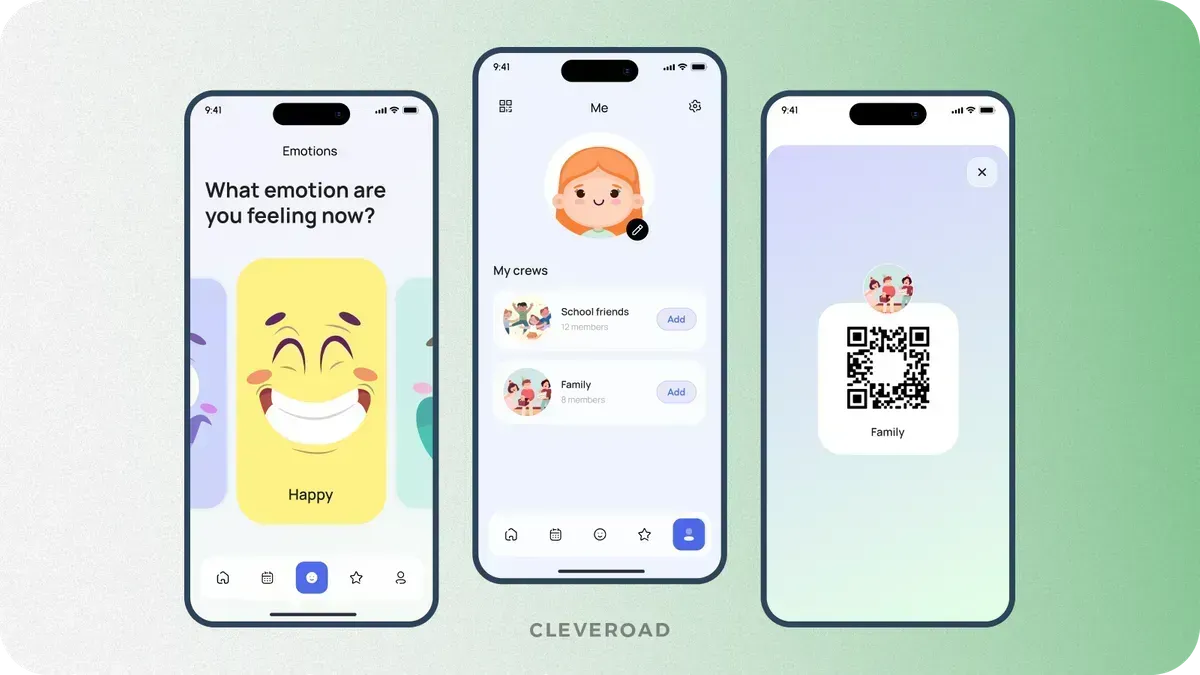
LMS gamification elements: points, badges, and streaks designed by Cleveroad
User roles and permissions
Permissions are one of the most important LMS architecture decisions. A learner should not see admin reports. A trainer should not access billing settings unless explicitly allowed. A parent may need limited visibility into student progress. A compliance officer may need read-only access to audit records.
For regulated industries, permissions should be planned with GDPR, CCPA, HIPAA, FERPA, SOC 2 readiness, and accessibility requirements in mind. The exact standards depend on the industry and geography.
| Industry | Main LMS compliance needs |
|---|---|
Healthcare | HIPAA-aware data handling, audit logs, access control, secure reporting |
Education | FERPA considerations, student privacy, accessibility, parent or guardian access rules |
Finance | SOC 2 readiness, access control, audit trails, secure identity management |
Corporate training | GDPR/CCPA, role-based access, data retention, employee privacy |
Knowledge testing
Testing features help measure whether learning is working. This may include quizzes, exams, assignments, simulations, certification tests, and practical tasks.
In the nursing education LMS, the Student module includes exam simulators aligned with professional certification preparation. This is more valuable than a generic quiz engine because the assessment logic reflects the real learning outcome the platform is built to support.
AI personalization and adaptive learning
AI personalization is one of the biggest changes in LMS development in 2026. A modern LMS can recommend the next course based on performance, generate quiz questions from existing content, adapt lesson paths after weak assessment results, or help instructors identify learners who need support.
AI features require clean data, thoughtful UX, and careful governance. The goal is not to add AI for novelty. The goal is to make learning more relevant and measurable. Adaptive LMS research also highlights the value of AI-supported personalization when privacy, content quality, and learner context are managed responsibly.
Learn about real-world AI EdTech use cases you can examine and then include within your LMS project
Reporting and analytics
Basic LMS analytics show enrollment, progress, completion, scores, and course popularity. Modern analytics go further by identifying learning gaps, predicting risk, and showing where learners need intervention.
For enterprises, analytics should connect training activity with business outcomes. For education companies, analytics can show which courses retain learners, which lessons cause drop-off, and which content drives subscription value.
Mobile-first responsive design
If a meaningful share of your learners are frontline (drivers, warehouse staff, floor nurses), mobile stops being a nice-to-have: they will never open a desktop LMS. For those audiences, plan for offline lesson caching and push reminders from day one, because completion rates on mobile-only cohorts drop sharply without them.
Compare feature priorities and development considerations in our article on e-learning app development
What Is the Price of Creating Your Own LMS?
Once the feature set and development path are clear, cost becomes easier to estimate. If you are researching how to create your own learning management system, you should evaluate not only initial development cost but also long-term ownership, operating expenses, subscriptions, integrations, and future scaling.
Custom LMS development costs $70,000-$160,000 for an MVP-to-mid-scope build. Enterprise platforms with advanced integrations, AI personalization, complex analytics, multi-tenant architecture, or strict compliance requirements may cost $200,000-$350,000+.
The final cost depends on the number of user roles, content formats, integrations, mobile requirements, admin panel complexity, analytics depth, security requirements, and rollout plan.
| LMS scope | Typical features | Timeline (m) | Estimated cost ($) |
|---|---|---|---|
MVP LMS | Registration, roles, course catalog, content access, progress tracking, basic admin panel | 4-6 months | $70,000-$100,000 |
Mid-scope LMS | Payments, certificates, analytics, notifications, mobile-responsive UX, richer admin tools | 6-9 months | $100,000-$160,000 |
Enterprise LMS | SSO, multi-tenancy, advanced analytics, AI personalization, compliance workflows, deep integrations | 9-14 months | $200,000-$350,000+ |
These numbers should be treated as planning ranges. At Cleveroad, we prepare a more accurate estimate after requirements clarification with Business Analysts and Solution Architects. The estimate accounts for architecture, design, development, QA, DevOps, project management, third-party services, and post-launch support.
If you'd like a more precise cost breakdown for your project, feel free to contact us to get an estimate, our team will review your requirements and provide a tailored assessment.
If you want to understand what usually affects engineering budgets before building an LMS from scratch, read our guide on software development cost
How Much Can You Save with a Custom LMS?
Cost planning should also include the impact on savings and revenue. A custom LMS may require higher upfront investment than plugins or ready-made tools, but it can reduce operating costs, improve margins, and remove limitations that block growth.
A custom LMS can reduce costs in several ways. It can replace plugin fees, reduce manual administrative work, lower dependency on marketplaces, and support direct monetization. It can also help avoid expensive migration later if your current platform cannot support growth.
For corporate and enterprise LMS products, savings often come from automation. Manual training assignment, reminders, reporting, certificate tracking, and compliance documentation can consume significant administrative time in eLearning environments. A custom LMS can automate these workflows and improve how organizations manage LMSs, making training data easier to access.
Common processes that can be automated include:
- Training enrollment and assignment
- Course completion reminders and notifications
- Certification issuance and renewal tracking
- Compliance reporting and audit documentation
- Learner progress monitoring and analytics
- Assessment grading and performance reporting
- User onboarding and role-based access management
By reducing administrative overhead, organizations can focus more on learning outcomes while improving operational efficiency and training scalability. In addition, automation can enhance social learning by enabling more efficient knowledge sharing, collaboration, and engagement across teams, while reducing the need for repetitive administrative tasks.
Workplace learning also remains a strategic business priority. LinkedIn's 2025 Workplace Learning Report shows how companies continue connecting employee development with retention, internal mobility, and business performance.
| Cost area | Without custom LMS | With custom LMS |
|---|---|---|
Training administration | Manual assignment, spreadsheet tracking, scattered records | Automated assignments, reminders, and reports |
Plugin and platform fees | Multiple tools, overlapping subscriptions, marketplace fees | Consolidated ownership and controlled service costs |
Compliance reporting | Manual evidence collection before audits | Audit-ready records and role-based reporting |
Subscription margin | Marketplace and platform fees may reduce revenue | Direct billing options can improve unit economics |
Product scaling | Rebuild risk after user growth | Architecture planned around expected scale |
The strongest ROI appears when the LMS is connected to revenue, compliance, or high-volume training operations. If the platform hosts only a small number of internal courses, a ready-made LMS may be sufficient. If it drives subscriptions, certification, customer education, or large-scale workforce training, custom development becomes easier to justify.
Why Choose Cleveroad as an LMS Development Partner?
Cleveroad is an education software development company based in Central and Eastern Europe (CEE). Since 2011, our team has been delivering education app development services to improve the learning experience for students, teachers, educational institutions, and businesses of all sizes. We specialize in building a wide range of educational software solutions, including Learning Management Systems (LMS), student information systems, e-learning platforms, virtual classrooms, content management systems, proctoring solutions, and more.
By choosing Cleveroad for LMS development, you gain access to the following benefits:
- Tailored LMS and EdTech development services aligned with your specific goals, including custom LMS development, legacy system modernization, third-party integrations, and full learning digitization
- Proven expertise in LMS integrations with platforms such as Adobe Captivate Prime, Canvas, Moodle, SAP Litmos, and others, ensuring consistent ecosystem connectivity and data flow
- Strong technical compliance focus, with LMS solutions built in accordance with standards such as SCORM, xAPI, LTI, AICC, GDPR, HIPAA, CCPA, WCAG, and Section 508 requirements
- Free Solution Workshop to align business objectives with LMS functionality, helping define priorities, identify risks, and outline value-driven features before development starts
- Flexible engagement models, including AI-assisted developement, allow you to match development capacity with your budget and internal resources
Build your own LMS with a clear budget and roadmap
Contact the Cleveroad team. We'll review your LMS requirements and real-world business pain points, and our EdTech software experts will help you build a reliable and engaging solution
LMS development is the process of designing, building, and deploying a learning management system software that supports structured online learning and improves education and training through digital tools such as dashboards, training modules, and progress tracking. A modern LMS helps organizations centralize learning content and resources in a single, user-friendly platform, making it easier for both employees and learners to use the LMS.
To create a learning management system from scratch, the process begins with analyzing business goals, learner needs, and functional requirements. This stage helps define the platform structure, content strategy, integrations, and scalability requirements.
Next, developers build the LMS architecture and implement key functionality, such as course management, learner progress tracking, assessments, reporting, and content delivery. The goal is to create a centralized environment where users can easily access learning resources and training materials.
After launch, ongoing maintenance and technical support help ensure stable performance, scalability, and a seamless learning experience as training needs evolve.
Costs vary, but a custom LMS development project typically ranges from $70,000-$160,000 for a simple solution to $200,000-$350,000+ for an advanced LMS. The final price depends on multiple factors, including:
- Type of LMS (web-based, mobile, or cross-platform solution)
- Complexity of product design and ease of use requirements
- Scalability of backend architecture
- Required integrations for education and training systems
- Advanced functionality such as analytics, dashboards, or gamification
A well-designed LMS that helps organizations centralize learning content, support diverse learning styles, and improve learner progress tracking typically requires more investment. However, it also delivers stronger long-term value by improving how teams use an LMS for structured learning and development and ensuring better alignment with organizational training goals.
If your LMS implementation project includes advanced capabilities to enhance online learning, personalized learning paths, and better access to learning resources, the overall cost will be higher. A feature-rich LMS designed around real features of learning management systems provides better scalability, efficiency, and user adoption.
Creating an LMS starts with defining how the platform will support online learning, education, and training, as well as overall learning and development objectives. The architecture is designed to centralize learning content and provide a structured environment where users can easily access learning resources and track learner progress.
During the design phase, the system is built to ensure ease of use, adaptability to different learning styles, and a user-friendly interface that improves engagement. Development focuses on implementing core LMS functionality, such as course management, assessments, and tracking, that reflects the essential features of learning management systems.
Whether transitioning from an existing LMS or building a new platform, the goal is to create a system that helps organizations use an LMS effectively, supports scalable learning content delivery, and ensures strong long-term performance. Reliable technical support also plays a key role in maintaining system stability and ensuring smooth operations.

Evgeniy Altynpara is a CTO and member of the Forbes Councils’ community of tech professionals. He is an expert in software development and technological entrepreneurship and has 10+years of experience in digital transformation consulting in Healthcare, FinTech, Supply Chain and Logistics
Give us your impressions about this article
Give us your impressions about this article
Comments
1 commentsHi, Thanks for sharing the detailed article on building LMS from the scratch. Could you please share some more details on which software development tools or coding languages are used to support the architecture of an LMS.